1
Step 1
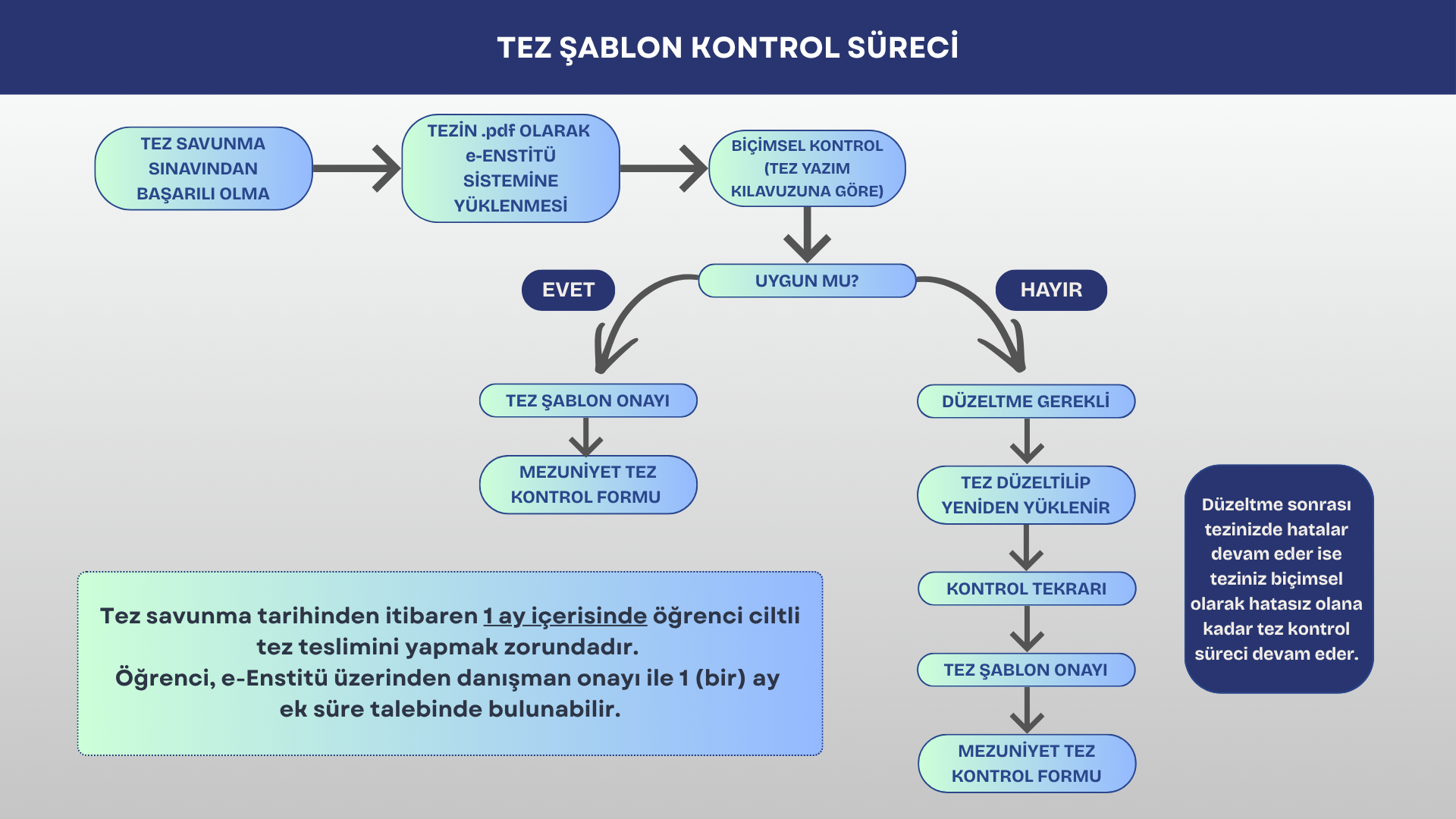
Students who have successfully passed their thesis defense exam must upload their thesis as a PDF to the Graduate System for a format check.
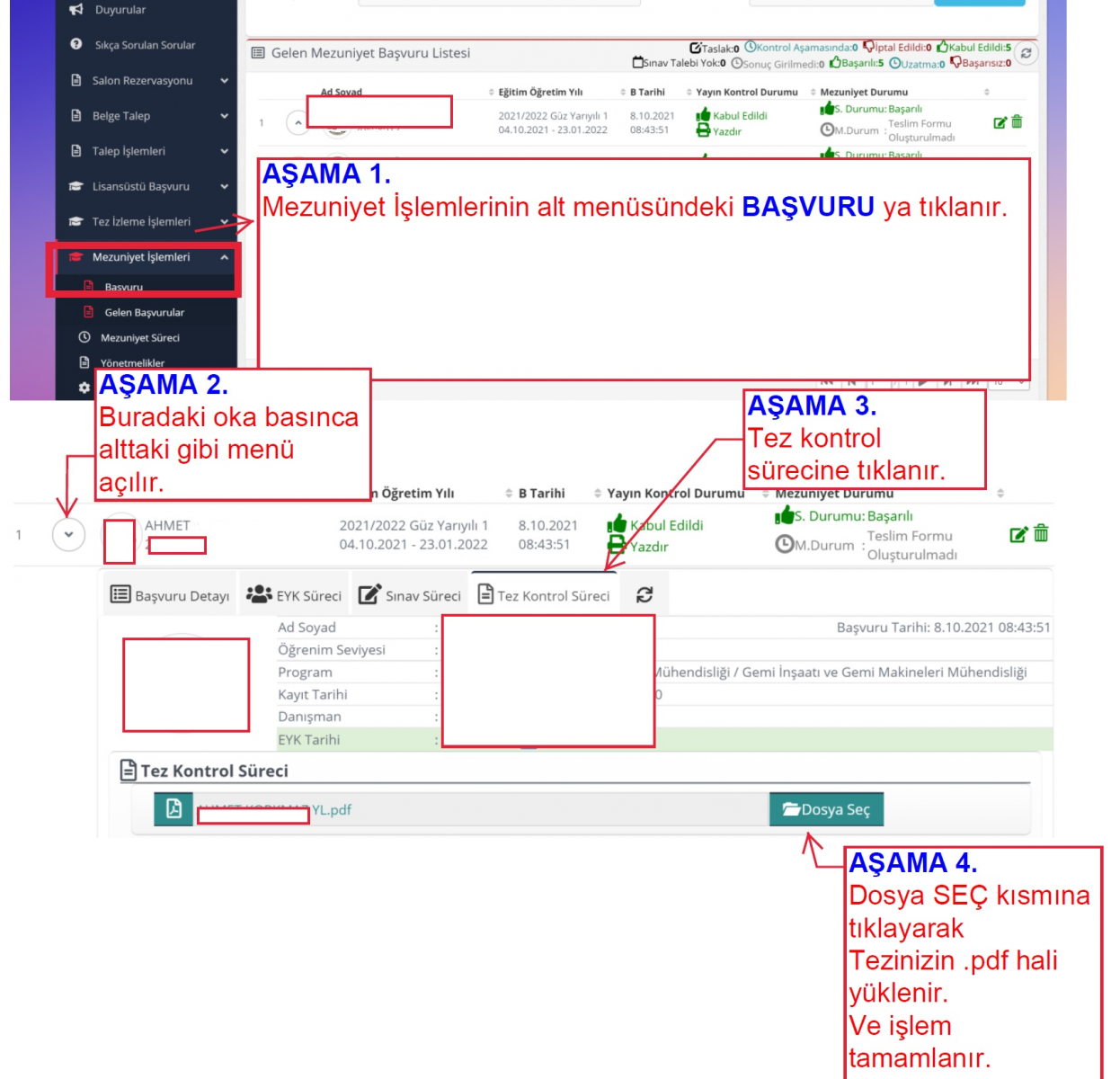
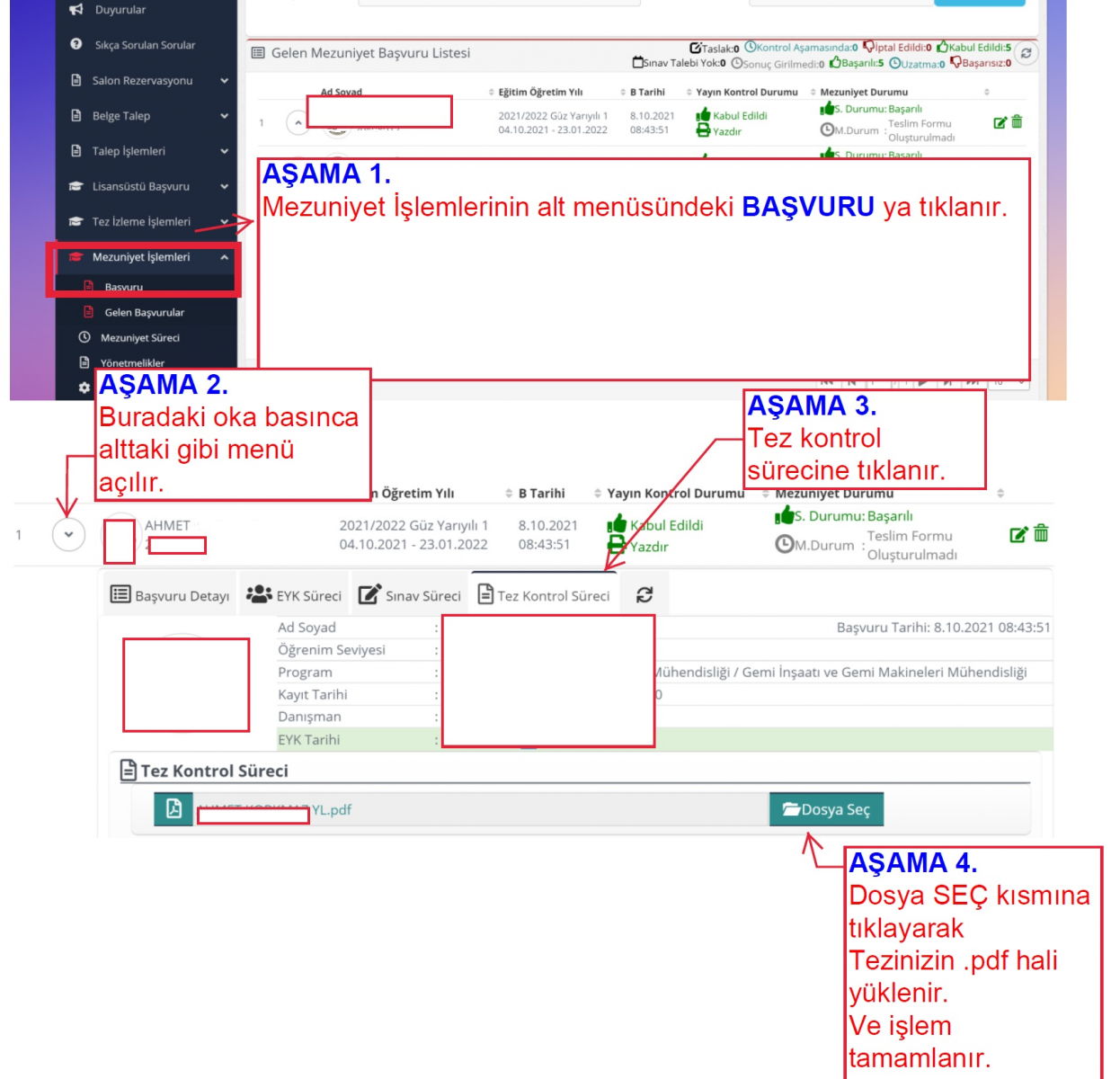
For the thesis upload guide to the Graduate System for template verification, see click here.
Theses that cannot be uploaded due to their large file size should first be uploaded to a cloud storage service. Then, the sharing link can be pasted into a blank Word document, and this file can be uploaded to the system as a PDF.
2
Step 2
Our staff at the institute checks whether the thesis YTÜ-FBE Thesis Writing Guide. (Formatting check)
3
If There Are Errors in Your Thesis
- The staff member reviewing the thesis notifies the student of the relevant errors/non-compliance via the system. This information is also automatically sent to the student via email.
- Before re-uploading the revised version of your thesis to the system, please make sure you have fully implemented all the corrections provided by our staff member.
- If errors persist in your thesis after revisions, the thesis review process will continue until your thesis is free of formatting errors.
4
If Your Thesis Is Found to Conform to the Template
- The relevant staff member approves the student’s thesis through the system, and a QR-coded Graduation Thesis Review Approval Form is automatically emailed to the student. You can also obtain the QR code-enabled approval document through the system.
- The student proceeds to the next stage in the flowchart.